
Every moving company eventually hits the same wall: the whiteboard that worked for three trucks stops working at six, and by ten, the owner is spending evenings untangling double-bookings. The fix is not working harder. It is building a dispatch system, and in 2026 that usually means choosing the right moving company dispatch software and the habits around it.
This guide walks through what dispatch actually does, where manual methods break, what to look for in software, and how to scale from a few trucks to thirty or more. If you want the wider operations picture first, start with our ultimate guide to streamlining your moving company operations with software.
What Does a Moving Company Dispatch System Do?
A dispatch system matches every booked job to the right crew, truck, and time slot, then keeps everyone informed until the job is done. In one place, it answers four questions: who is going where, when, with what equipment, and what changed.
| Dispatch function | What it controls | What goes wrong without it |
|---|---|---|
| Scheduling | Job dates, arrival windows, job length | Double-booked crews, missed windows |
| Crew assignment | Which movers and driver go on which job | Wrong skills on the job, overworked crews |
| Equipment and trucks | Truck size, pads, dollies, special gear | A small truck sent to a big job |
| Routing | Order of stops and drive time | Wasted fuel and paid idle hours |
| Communication | Updates to crews and customers | Late arrivals, confusion, bad reviews |

Why Is Dispatch the Operational Backbone of a Moving Company?
Dispatch is the backbone because every other part of the business depends on it: sales promises a date, crews deliver it, and customers judge you on whether it happened. When dispatch fails, the cost lands everywhere at once, in labor, reviews, and repeat business.
Sales teams can generate leads and win quotes, but only dispatch turns a booking into a completed move. A weak dispatch process caps how many jobs you can handle without making customers unhappy, which means it caps your revenue. That is why growing movers usually fix dispatch before they buy more leads. If you are already generating demand, see our guide on converting moving leads into customers to make sure the front end keeps up.
What Are the Most Common Dispatch Problems?
The most common dispatch problems are double-booking, mismatched crew size, last-minute changes that never reach the crew, and idle time between jobs. Each has a real cost in paid labor and lost trust, even when no single incident looks dramatic.
- Double-booking: Two jobs promised to the same crew or truck on the same day.
- Wrong crew or truck: A two-man team on a four-bedroom move, or a 16-foot truck on a full house.
- Lost information: Stairs, long carries, piano, or elevator reservations that were on a note but not on the job.
- Late changes: A customer moves the date or adds items and only one person knows.
- Dead time: Crews waiting for access, or driving across town between jobs that could have been sequenced better.
- Customer blind spots: Customers calling the office to ask where the truck is.
Pro tip: For one week, log every time a crew was late, idle, or sent to the wrong job, and write down the cause. Most movers find three or four repeat causes, and those tell you exactly which dispatch feature to prioritize.
Why Does Manual Dispatch Break Down? Whiteboards and Spreadsheets
Manual dispatch breaks down because it depends on one person's memory and one physical or shared file, so errors multiply as jobs and crews are added. It can work well at very small scale, but it has no safeguards.
| Method | Strengths | Limits |
|---|---|---|
| Whiteboard | Fast to read at a glance, no cost | One location only, no history, easily erased or misread |
| Paper job tickets | Familiar to crews | Easy to lose, no live updates |
| Spreadsheet | Shareable, flexible | No conflict warnings, version confusion, no mobile workflow |
| Dispatch software | Conflict checks, live updates, history | Needs setup and team adoption |
The deeper issue is that manual methods cannot warn you. A spreadsheet will happily let you assign one crew to two jobs at the same time. Software will flag it. We cover how the pieces fit together in our post on moving company software that streamlines operations.
What Features Should Moving Company Dispatch Software Have?
Good moving company dispatch software should have a visual calendar, crew and truck assignment, conflict warnings, route tools, job notes, real-time status updates, and a link to your CRM. Those features cover the daily work; everything else is a bonus.
Core Features Checklist
- Drag-and-drop calendar with crews and trucks as rows or columns so conflicts are obvious.
- Crew assignment that shows who is available and who is already booked.
- Job details attached to the job: access notes, inventory, special items, customer contact.
- Route and drive-time tools for sequencing stops.
- Real-time job status such as en route, started, loading, delivered, completed.
- Customer communication by text and email, with automatic reminders.
- CRM connection so a booked lead becomes a scheduled job without retyping.
- Reporting on utilization, on-time arrival, and revenue per crew day.

If you are comparing platforms, our moving company CRM buyer's guide lists the questions to ask. Our own moving software includes scheduling and dispatch with crew assignment, route optimization, and real-time job tracking alongside lead management.
How Do You Schedule Jobs and Assign Crews Well?
Schedule by job length and difficulty, not just by time slot, and assign crews by skills and availability rather than whoever answers the phone first. A repeatable rule set keeps decisions fast and fair.
Best Practices for Scheduling
- Estimate job duration honestly, including loading, drive time, and unloading.
- Use arrival windows rather than exact times, and communicate them clearly.
- Build buffers between jobs, especially on long-carry or high-rise moves.
- Block time for truck loading in the morning and fueling or cleanup at the end of the day.
- Respect driver hours and applicable federal and state rules for commercial drivers, especially on long-distance work.
Best Practices for Crew Assignment
- Match crew size to the job and note that on the job record.
- Pair experienced leads with newer movers so skills spread across teams.
- Track crew strengths, such as piano handling, packing, or high-rise experience.
- Rotate fairly so you do not burn out your best crew.
For the personal time management side of the owner's job, see our post on mastering time management for your moving business schedule.
Pro tip: Lock the schedule for tomorrow by a fixed time each afternoon. After that time, only the dispatcher can change it. This single rule prevents most late-night scramble calls.
How Do You Optimize Routes to Cut Drive Time?
Group jobs by area, sequence stops to avoid backtracking, and use software to compare options when you have several jobs in a day. Every unnecessary mile is paid labor, fuel, and truck wear.
Route optimization matters most for local movers running several jobs a day with the same crew, where drive time between stops adds up. For long-distance moves it shifts to planning the linehaul and the delivery window. In both cases, the principle is the same: look at the whole day instead of scheduling each job separately.
| Situation | Routing approach |
|---|---|
| Multiple local jobs per crew per day | Cluster by area, sequence to minimize backtracking |
| Small jobs across a metro | Combine into one crew shift where possible |
| Long-distance linehaul | Plan load date, route, and delivery window together |
| Rush-hour heavy markets | Schedule loading and drives outside the worst traffic |
How Do You Track Jobs and Keep Crews Informed in Real Time?
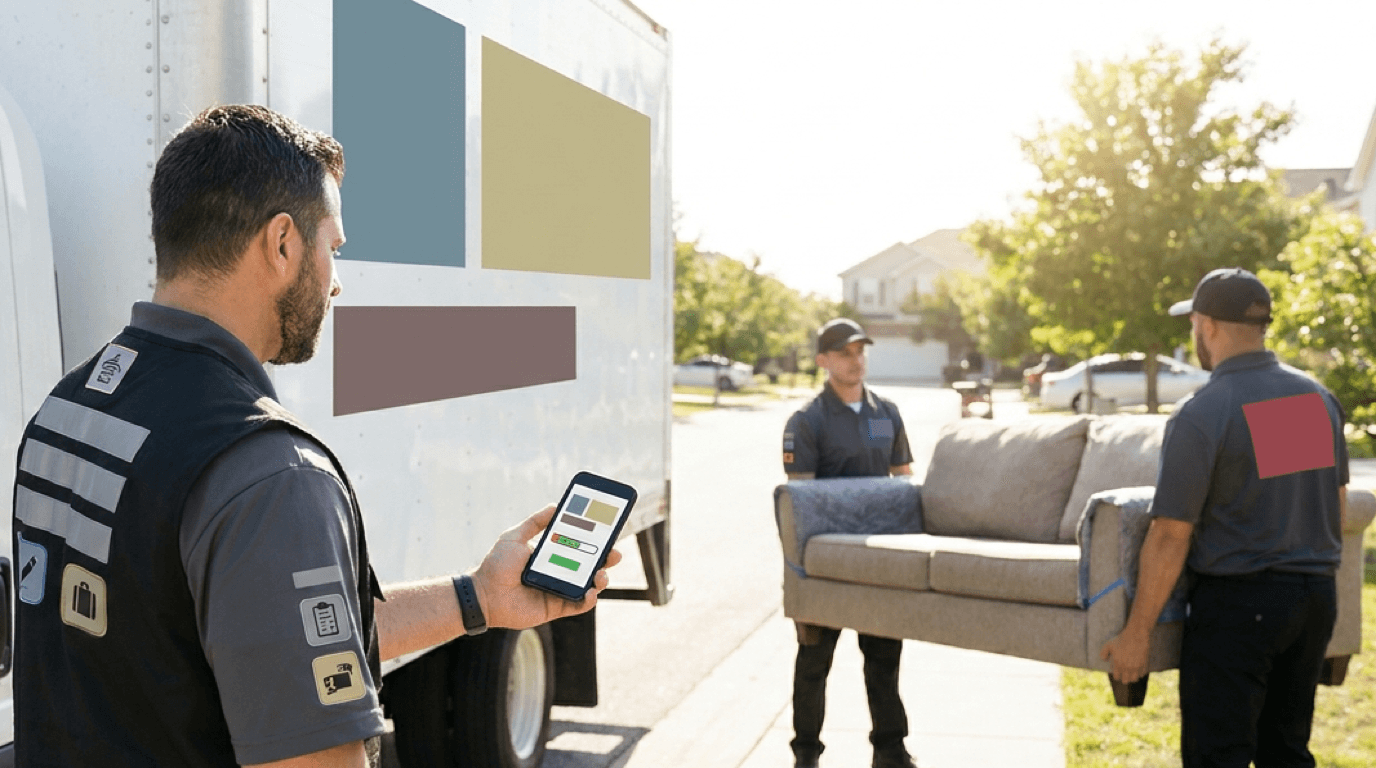
Use a shared system where crews update job status from their phones, so the office sees what is happening without calling anyone. Real-time visibility replaces interruptions with information.
A basic status flow might be: scheduled, crew en route, arrived, loading, in transit, unloading, complete, and paid. Each status change can trigger an update to the customer or office. Crews also need job details on their phones, including addresses, notes, contact numbers, and special instructions.
Owners and managers can also watch the business from a phone with the Easyly Workspace app, which shows new lead alerts, quoting, dispatch, and revenue at a glance. See our mobile app page for details.
How Should You Handle Same-Day Changes and Cancellations?
Handle them with a written rule: who can approve a change, how fast the crew is told, and what the customer is charged or credited. Changes will happen every week, so the process matters more than the exception.
- Record the change in the job, not in a text thread or a sticky note.
- Check the schedule impact on that crew and the next job.
- Notify the crew immediately through the same system they use for assignments.
- Confirm with the customer in writing so expectations are clear.
- Offer the opened slot to waitlisted customers or shift later jobs earlier.
Set cancellation and rescheduling terms in your agreement so your dispatcher is enforcing policy rather than making it up on the spot.
How Is Dispatch Different for Local and Long-Distance Moves?
Local dispatch is about density and daily efficiency, while long-distance dispatch is about timing windows, linehaul capacity, and compliance. The software needs to handle both if you run both.
| Factor | Local moves | Long-distance moves |
|---|---|---|
| Time scale | Hours, same day | Days to weeks |
| Main constraint | Crew and truck hours | Truck capacity, delivery window, driver hours |
| Pricing basis | Hourly | Weight and distance, subject to estimate rules |
| Dispatch focus | Sequence and drive time | Load planning, spread dates, delivery coordination |
| Regulation | Mostly state-level | Federal and state; check FMCSA rules for interstate work |
If you move customers across state lines, review our DOT and FMCSA compliance guide for moving companies so your dispatch process respects the rules.
How Do You Scale Dispatch from 3 Trucks to 30?
Scale by adding structure in stages: standard job tickets first, then software, then specialized roles and clear rules. What works at three trucks fails at ten, and the signs are predictable.
| Fleet stage | How dispatch usually runs | What breaks next |
|---|---|---|
| 1 to 3 trucks | Owner dispatches from memory, phone, and a calendar | Owner becomes the bottleneck |
| 4 to 10 trucks | Shared calendar or spreadsheet, one dispatcher | Conflicts, lost details, no visibility |
| 10 to 20 trucks | Dispatch software, standard job tickets, crew leads | Inconsistent practices between crews |
| 20 to 30+ trucks | Software with reporting, multiple dispatchers, defined roles | Communication gaps and uneven performance |
Steps for Scaling
- Standardize job tickets so every job has the same fields.
- Move to dispatch software before conflicts become costly, not after.
- Assign a dedicated dispatcher once you pass a handful of trucks, so the owner is out of the daily scheduling loop.
- Create crew lead roles so each team can handle small decisions on site.
- Write simple rules for changes, cancellations, and communication.
- Review metrics weekly and adjust.
How Do You Connect Dispatch with Your CRM and Lead Management?
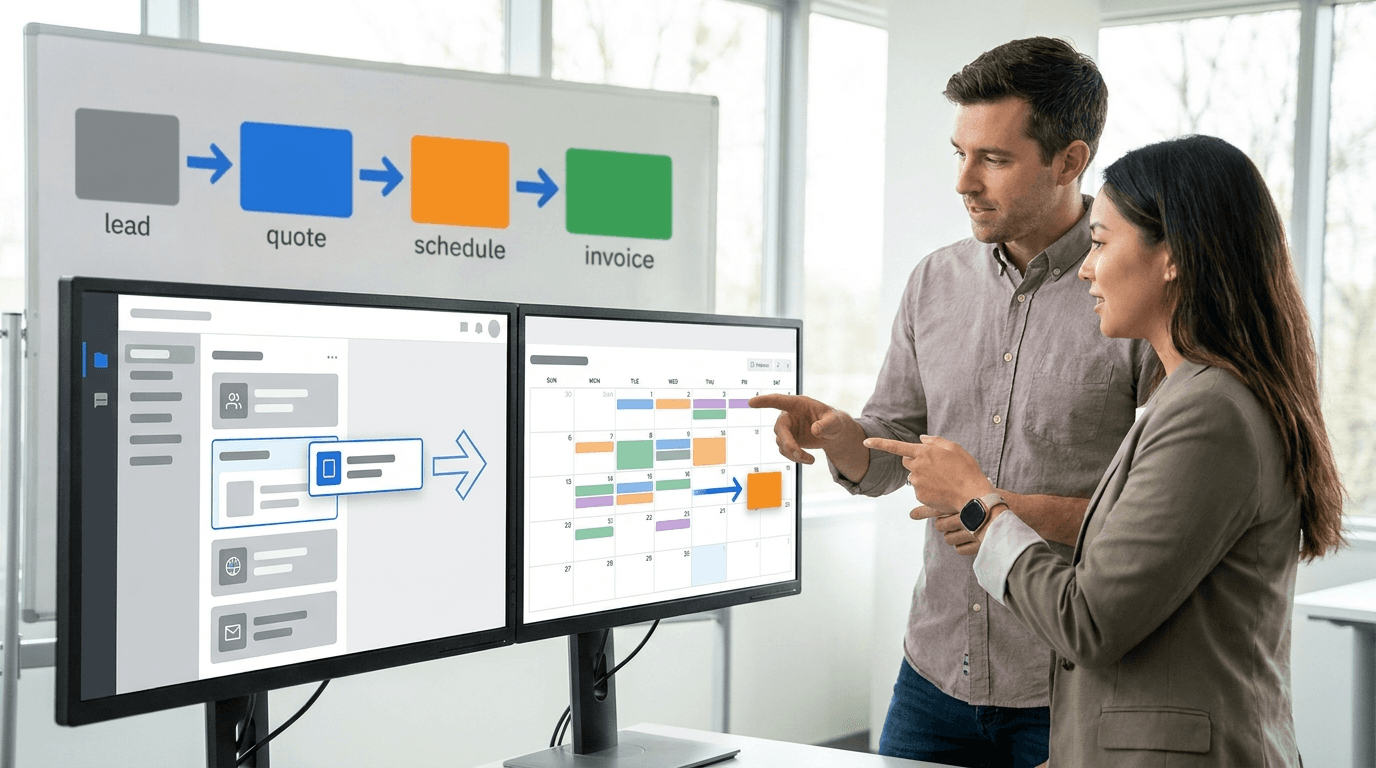
Connect them so a booked lead becomes a scheduled job automatically, with customer details, quote, and notes carried over. That removes retyping, which is where most scheduling errors begin.
When leads, quotes, jobs, and payments sit in one system, the office sees the whole customer journey: when the lead arrived, what was quoted, when the job is scheduled, and whether it was paid. If you are building a lead pipeline, see how moving leads fit in, and explore shared versus exclusive moving leads to match volume to crew capacity. Also see our guide on how to follow up with moving leads so bookings turn into scheduled jobs faster.
Speed at the front of that journey decides how many jobs reach your dispatch board at all. Our phone system is built into the same CRM, so your team can click-to-call a new lead straight from its record, with the call logged, recorded, and summarized automatically on that lead, so what the customer said is still there when the move becomes a scheduled job.
What Metrics Measure Dispatch Efficiency?
Track on-time arrival, crew utilization, drive time per job, job duration versus estimate, and customer complaints tied to scheduling. A small set of consistent metrics beats a large dashboard nobody reads.
| Metric | What it tells you | How to use it |
|---|---|---|
| On-time arrival rate | Whether windows are realistic | Adjust buffers and windows |
| Crew utilization | Paid hours spent on revenue work | Find idle time |
| Drive time per job | Routing quality | Re-cluster jobs |
| Actual vs estimated duration | Estimating accuracy | Improve quotes |
| Same-day change count | Process stability | Tighten cutoff rules |
| Scheduling-related complaints | Customer impact | Fix root causes |
Set your own targets from your first few weeks of data rather than copying a number from another company, since markets and job mixes differ.
Frequently Asked Questions
What is moving company dispatch software?
It is software that schedules jobs, assigns crews and trucks, tracks job status, and communicates with crews and customers, built for the way moving companies work.
When should a moving company switch from a spreadsheet to dispatch software?
Move when conflicts, lost details, or owner overload start to appear, which for many companies happens around a handful of trucks. Moving earlier avoids the costly mistakes.
Does dispatch software replace a dispatcher?
No. It gives your dispatcher better information and warnings, but people still make the judgment calls on crews, customers, and exceptions.
Can one system handle both leads and dispatch?
Yes. A moving-specific CRM can handle leads, quotes, scheduling, and dispatch together, which avoids retyping. See our moving software page for how ours works, and the pricing page for current pricing.
The Bottom Line
Dispatch is where promises become completed moves, so it is worth building deliberately. Start by logging your real problems, standardize how jobs are recorded, choose software with a visual calendar, crew assignment, routing, and live tracking, and add roles and rules as your fleet grows.
Ready to see how scheduling, dispatch, and leads work together? Book a free demo and we will walk you through the system live.
Written by
Network Leads
Network Leads helps moving companies grow with high-quality leads, powerful software, and marketing solutions. Since 2017, we have been connecting movers with customers who are actively searching for moving quotes.
Learn more about our platform